Who can use this
- Admins, super admins, RevOps owners, or delegated operators provisioning limited access.
- Executives, managers, advisors, board observers, or cross-functional teammates who only need selected meetings, reports, dashboards, or shared links.
- Spectators who are completing the limited onboarding path assigned to them.
Before you start
- Decide what the person actually needs to inspect: a selected meeting, a folder, a report, a dashboard, a team view, or recurring spectator access.
- Use a shared link when someone only needs one specific resource. Use reporting access when they need dashboards or recurring reports. Use a spectator seat when they need signed-in limited access across allowed areas.
- Confirm whether the viewer should have team, meeting, reporting, global meeting, folder, or shared-link visibility.
- Avoid giving admin, CRM, email-drafting, integration, or organization-default access when the person only needs visibility.
Steps
- Choose the narrowest access path: shared link, reporting grant, meeting or folder access, global meeting access, or spectator seat.
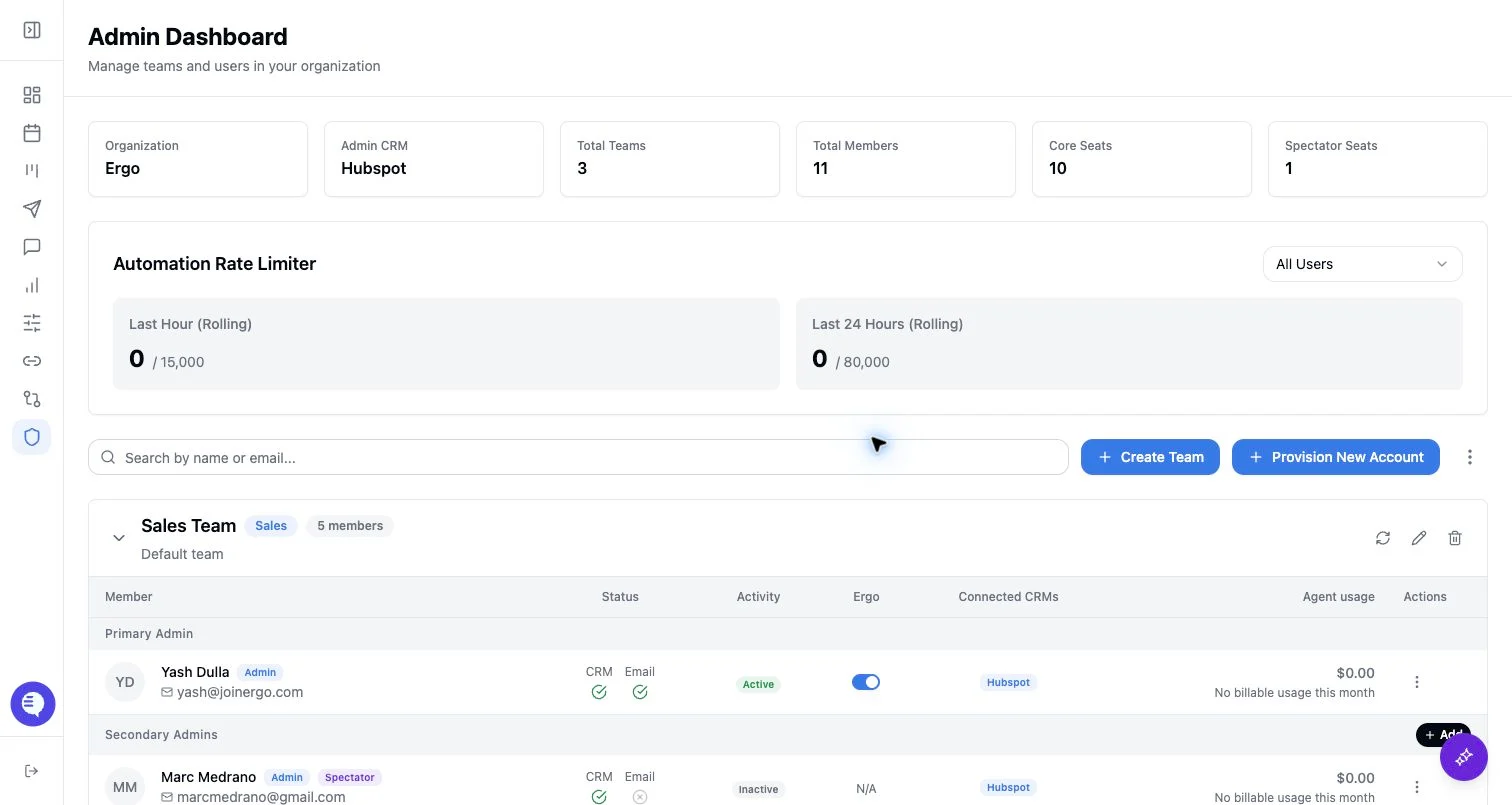
- If the person needs a spectator seat, ask an admin or super admin to add or convert the user and assign the correct team or visibility scope.
- If onboarding appears for the spectator, complete only the spectator path shown in Ergo, such as user sync, workspace access, and Ergo Notetaker when prompted.
- Do not ask spectators or shared-link viewers to set up CRM, email drafts, integrations, templates, Slack, or non-Ergo notetakers unless they are converted to a standard user or admin.
- Walk through the exact destination the person should use: the meeting, folder, report, dashboard, shared link, or reporting email cadence.
- Test access from the viewer’s account or shared link before relying on it. Confirm the expected resource opens and unrelated resources remain hidden.
- Revisit or revoke access when a project ends, a leadership role changes, a shared link expires, or the person no longer needs visibility.
What to expect
- Spectator access is separate from the basic
useroradminrole. It limits workflows such as CRM writes, email drafting, and integration connections. - Shared-link viewers are not workspace users unless they also sign in with an Ergo account. A shared link gives access only to the shared resource and any authentication or password checks attached to it.
- Reporting access is granted separately from ordinary meeting access. A person may be able to open a meeting but still lack access to a report, or see a dashboard but not every drilldown.
- The spectator onboarding path is shorter than the standard user path and should not include the full AE or CSM setup checklist.
Common issues
- The person was given full user access when a shared link, reporting grant, or spectator seat would have been safer.
- A shared meeting, folder, report, or dashboard was never actually shared with the viewer.
- The viewer opens the wrong Ergo account, stale shared link, or report without the required access.
- Meeting visibility is blocked by team scope, global meeting access, folder permissions, processing state, or shared-link settings.
- Reporting visibility is blocked by missing reporting access, dashboard grants, filters, date ranges, or shared dashboard permissions.