Who can use this
- Admins and super admins who own shared setup.
- RevOps, sales operations, or GTM operations teammates responsible for CRM data, fields, stages, reporting, and adoption.
- Delegated operators who support users from RevOps-approved settings.
Before you start
- Choose the production CRM or customer source of truth before broad rollout.
- Confirm the connected CRM account can read and update the objects and fields Ergo should use.
- Decide which workflows are in scope for the first pilot: meeting capture, CRM updates, drafts, Slack notifications, reporting, call grading, or backfills.
- Keep future or experimental automation work separate from the current customer-facing rollout plan.
Tips
- Decide centrally before inviting broadly. Set CRM connection, field mapping, pipeline stages, templates, notetaker defaults, reporting defaults, access rules, and required collaboration tools before users start personal setup.
- Use real production context for the pilot. Ergo output quality depends on real CRM records, real calendar events, real pipeline stages, real communication history, and the correct account or deal match.
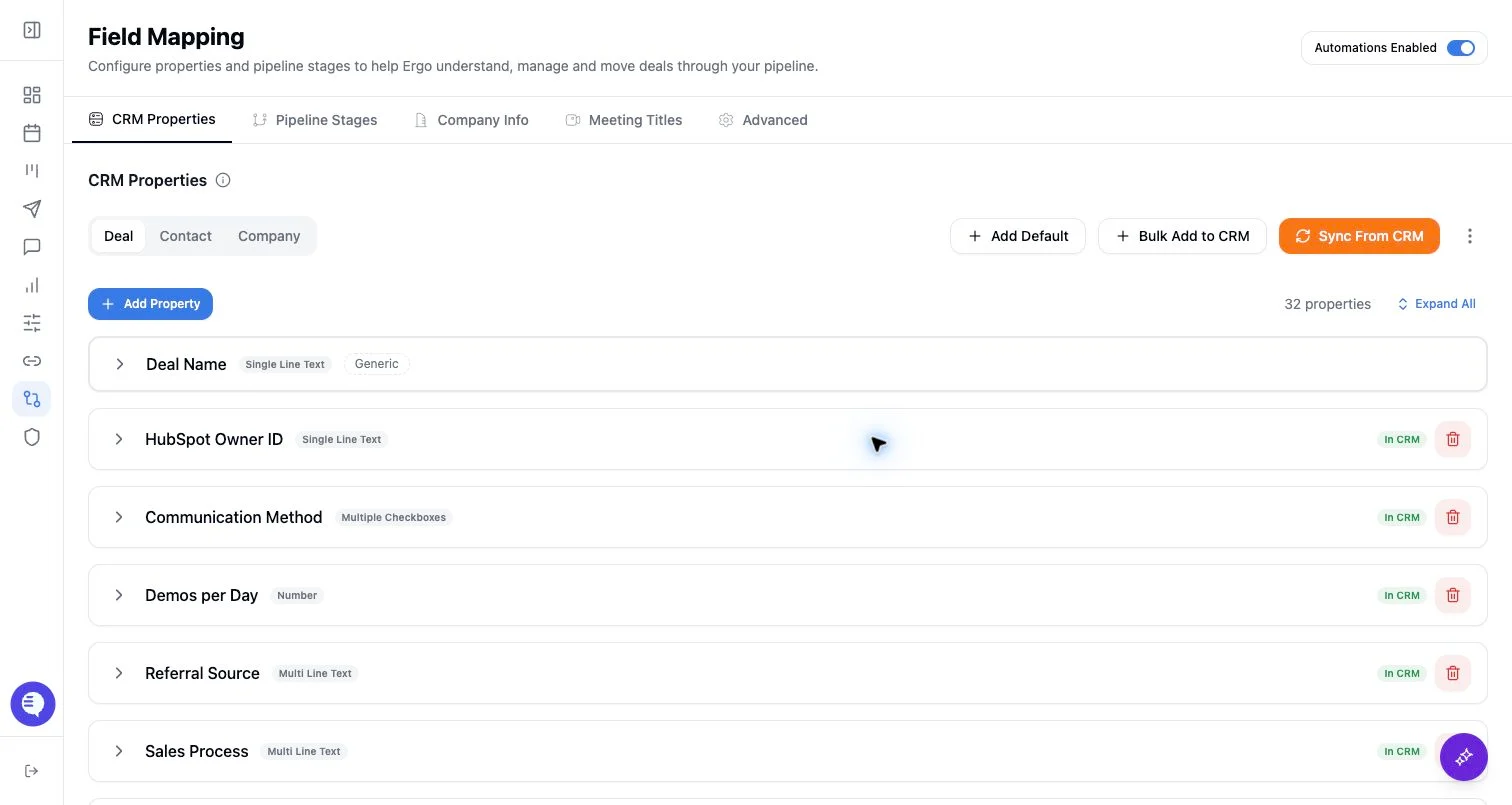
- Treat Field Mapping as a prerequisite. If deal, contact, company, owner, property, pipeline, or stage mapping is incomplete, CRM updates and reports can look unreliable even when meetings and drafts are working.
- Review stage controls with sales leadership. Confirm which stages Ergo should read, update, or leave alone before enabling broad CRM writeback.
- Keep the first pilot small. Test one setup owner, one operator, one AE, one CSM, one manager, one customer meeting, one draft, one CRM update, and one reporting view before rolling out to the full team.
- Use a scoped backfill. Start with a small historical sample and the fields that matter most before broad backfill. Document fields that should remain manual or need current data only.
- Review AI outputs before external use or CRM writeback. Check names, dates, commitments, owners, links, prices, next steps, source meetings, and mapped fields.
- Create a first-week feedback loop. Ask users to report missing meetings, wrong deal matches, unexpected drafts, duplicate drafts, access issues, CRM writeback problems, and reporting gaps with the meeting, deal, report, or source link.
- Measure adoption from workflows, not logins. Useful signals include admitted notetakers, processed meetings, reviewed drafts, corrected CRM context, mapped fields, reporting views, and managers using call evidence.
What to expect
- RevOps choices affect downstream Meetings, Deals, Drafts, Reporting, Search, and CRM sync behavior.
- Some issues are source-quality problems rather than product failures. Fix the CRM record, field mapping, stage setup, permission, meeting source, or notetaker setup before editing every generated output by hand.
- Automation, task/note sync, audit trails, and KPI dashboards can be feature-dependent. Do not treat a planned or gated workflow as available unless it is visible in your workspace and confirmed by your admin or Ergo support.
Common issues
- Users are invited before CRM, templates, notetaker behavior, reporting defaults, or access rules are ready.
- The pilot uses sandbox or synthetic records, so AI outputs and reports do not reflect real workflows.
- Field mapping, property permissions, pipeline stages, or stage controls are skipped even though CRM updates depend on them.
- Broad backfills are attempted before one historical sample is checked.
- Multiple notetaker sources create duplicate meeting context or draft confusion.
- No one owns the first-week loop for missing meetings, wrong context, access issues, or draft quality.