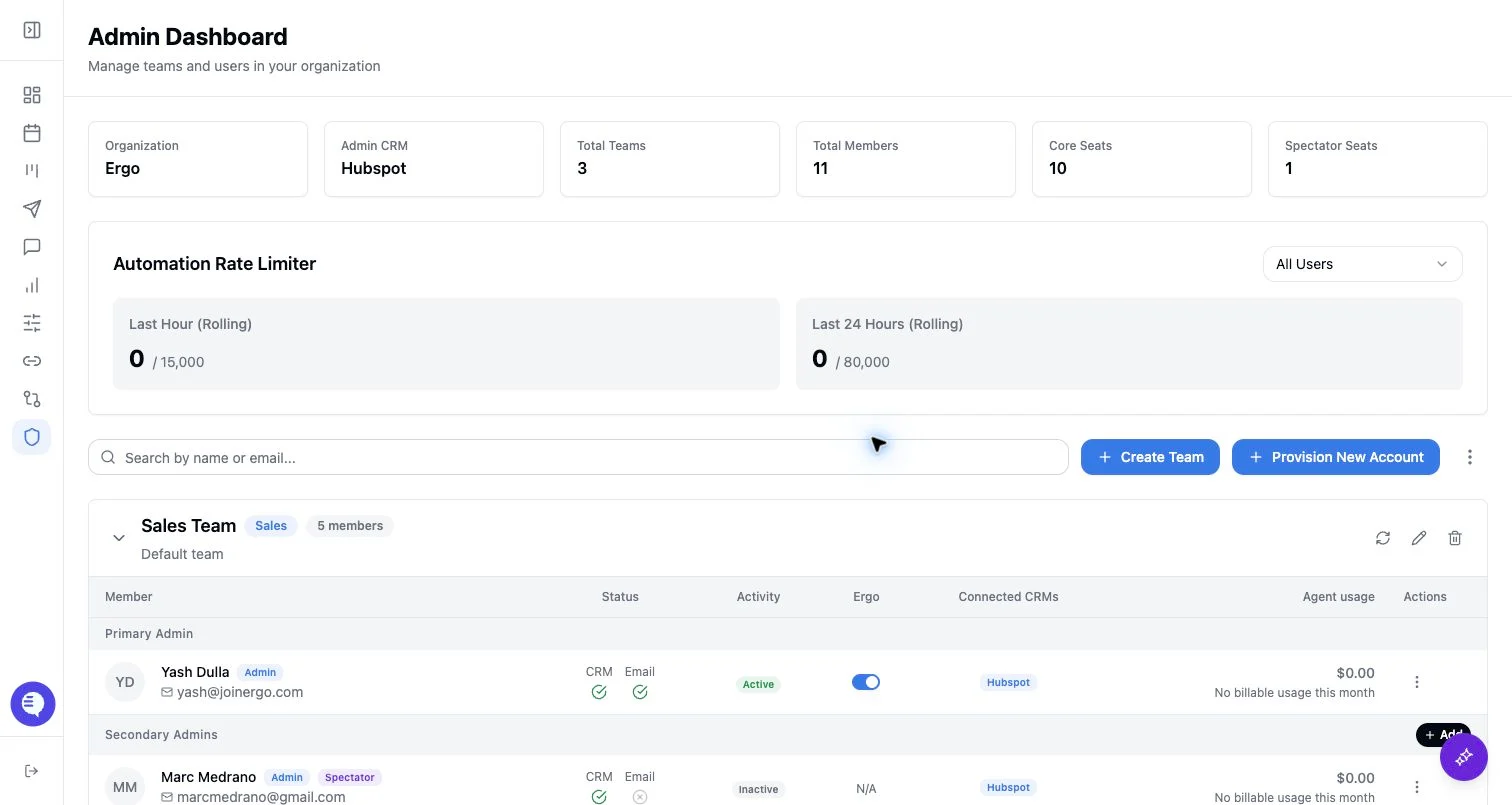
Who can use this
- Delegated operators supporting user rollout.
- Admins, super admins, RevOps owners, or GTM operations teammates who answer setup questions.
- Managers helping users verify meetings, drafts, reports, or CRM context without owning the source configuration.
Before you start
- Know which admin account or source configuration is approved for Sync with Admin.
- Confirm what you are allowed to change: teams, users, templates, access, reporting, notetaker settings, CRM fields, or only personal setup guidance.
- Separate shared settings from personal grants. Users can inherit approved configuration, but each user still connects their own email, calendar, notetaker, desktop, or collaboration source when required.
- Do not reconnect CRM sources, redefine fields, change pipeline stages, or push settings to users unless the RevOps or admin owner has approved the change.
Tips
- Triage in setup order. Check the user’s Ergo account, team, role, spectator status, reporting access, and Sync with Admin status before changing integrations.
- Keep inherited settings separate from personal setup. Sync with Admin can align shared configuration, but it does not replace a user’s personal Google Workspace or Microsoft 365 authorization.
- Review email behavior after the email/calendar connection. Settings such as Email Analysis, Post-Call Followup Emails, and Surfacing can affect what users expect to see.
- Check notetaker setup before blaming downstream outputs. Confirm the calendar source, meeting link, meeting host admission, manual Add Bot needs, and duplicate notetaker sources.
- Check templates before troubleshooting draft quality. Generic or missing templates can make otherwise valid drafts feel off-brand or incomplete.
- Check Field Mapping and pipeline stages before troubleshooting CRM updates. Missing properties, permissions, stages, or stage drift can block otherwise healthy meeting and draft workflows.
- Confirm reporting grants before sending someone to Reporting. Reporting may not appear or may show limited data until access and dashboard grants are configured.
- Sync to users only after the source is approved. Spreading incomplete templates, stage settings, domains, or advanced settings creates cleanup for every recipient.
- Ask for specific examples when escalating: the affected user, source account, meeting or deal link, expected output, and approximate time window.
What to expect
- Operators can only troubleshoot within their actual Ergo permissions.
- Users may complete onboarding successfully but still lack a feature, report, draft, or CRM output because a source, grant, mapping, template, or processing step is missing.
- Missing results are easier to isolate when you check one layer at a time: account and role, inherited settings, personal grants, notetaker, templates, field mapping, reporting access, then filters or processing state.
- If a user skips a sync or onboarding step, inherited configuration may be incomplete until the relevant setup step is completed.
Common issues
- The user is in the wrong Ergo account, team, role, or spectator state.
- The user expects inherited settings but has not completed Sync with Admin or personal setup.
- Email/calendar is connected to the wrong account, disconnected, or missing the settings needed for drafts and source context.
- The notetaker misses a meeting because the calendar owner, changed link, waiting-room admission, or manual Add Bot step was missed.
- Drafts are missing or unexpected because draft settings, templates, meeting eligibility, processing state, or duplicate notetaker sources are wrong.
- CRM updates fail because field mapping, property permissions, pipeline stages, stage controls, or source sync are incomplete.
- Reporting is hidden or empty because access, dashboard grants, filters, date ranges, or source fields are incomplete.