Who can use this
- Admins or super admins assigning delegated setup work.
- RevOps or operations teammates helping users complete setup.
- Delegated operators who have the admin access or approved source context required for the task.
Before you start
- Confirm which admin owns the source of truth for CRM, field mapping, pipeline stages, reporting, notetaker defaults, and organization settings.
- Confirm the delegated operator is in the correct Ergo account, team, and role before asking them to troubleshoot users.
- Decide which tasks require admin or super-admin access and which can be handled by a standard user completing personal setup.
- Keep shared setup separate from personal connections. Admins provision seats and shared defaults; each user connects their own email, calendar, and notetaker or desktop setup.
- Know which settings should be inherited from an approved admin and which settings the user must connect personally.
Steps
- Review the RevOps-approved setup direction before changing users, teams, CRM fields, templates, collaboration tools, reporting, or notetaker defaults.
- Use Sync with Admin when a user should inherit approved admin configuration, such as CRM keys, mapped properties, pipeline stages, company context, meeting-title phrases, templates, task settings, alternate domains, partnership domains, and advanced settings.
- If the operator is also a user, complete personal setup: email/calendar, notetaker or desktop capture, templates, collaboration access, and any sync-from-admin step shown in onboarding.
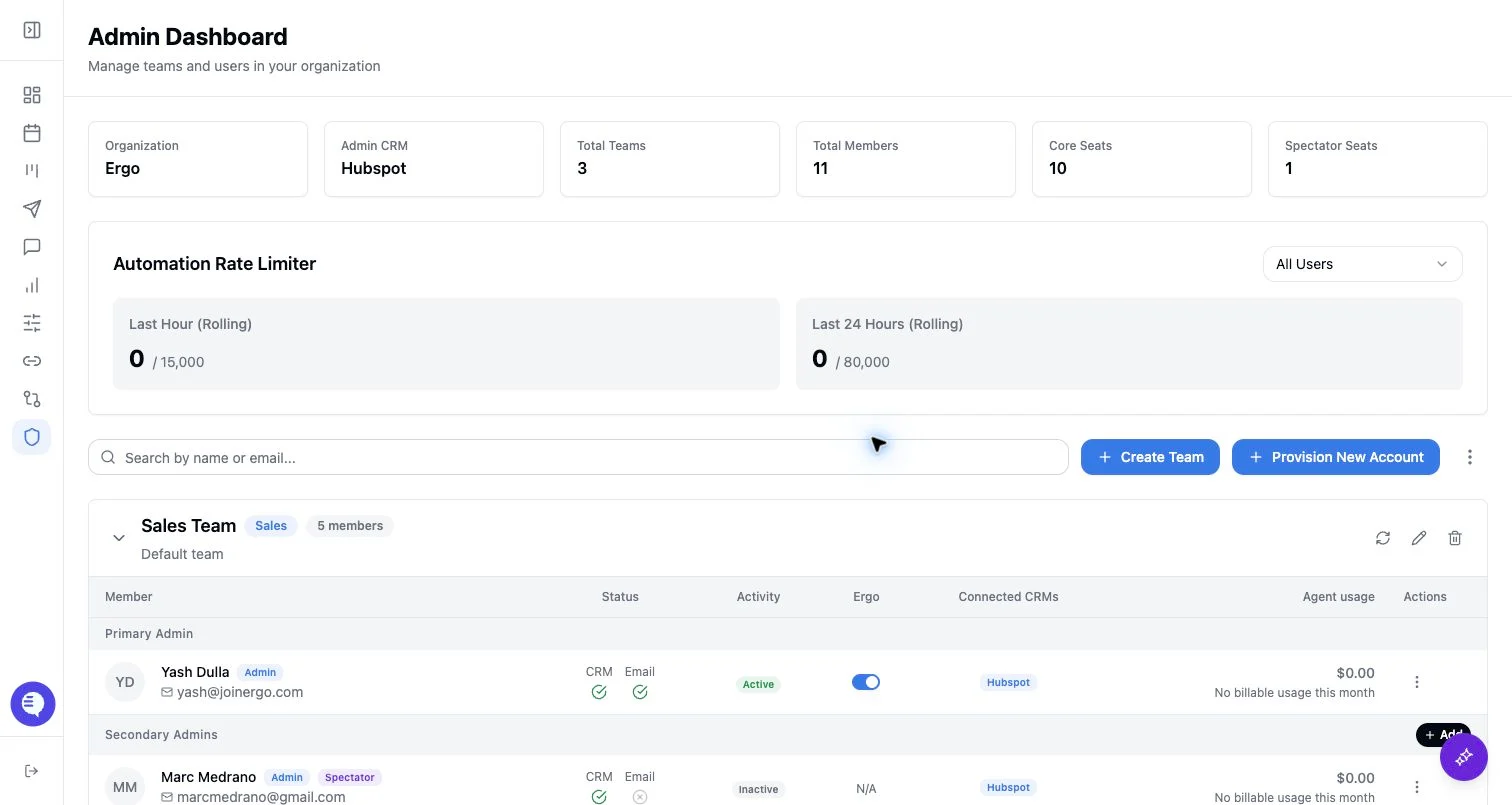
- For user support, confirm the user’s seat, team, role, spectator status, reporting access, and connected source before changing settings.
- For source support, check the authenticated account, CRM connection, field mapping, pipeline stages, calendar connection, and notetaker status.
- Test one controlled workflow before declaring setup ready: one meeting or call, bot admission or desktop capture, draft generation when enabled, dashboard visibility, and CRM/contact or reporting output when configured.
What to expect
- Operators can help with delegated setup work only within their actual Ergo permissions.
- Admin-configured setup can unlock context for users, but users may still need to authenticate their own email, calendar, notetaker, desktop, or collaboration sources.
- Initial source sync, meeting capture, and downstream outputs can complete at different times.
- Optional collaboration, template, and notification setup can be deferred when it is not needed for the first pilot.
- Admin sync can spread incomplete CRM, template, or advanced settings, so only sync after the source configuration is approved.
Common issues
- The wrong OAuth account, CRM account, calendar, or team was connected.
- The operator is asked to fix a setting that requires admin, super-admin, reporting, or CRM permission.
- A user expects inherited settings but has not completed personal setup or sync-from-admin.
- Settings were synced before CRM fields, stages, templates, or advanced settings were finalized.
- The notetaker does not join because the calendar owner, meeting link, host admission, or duplicate notetaker setup is wrong.
- Filters, saved views, permissions, or processing state hide the expected meeting, deal, draft, or report.