Who can use this
- CSMs and post-sale account owners who need Ergo for customer meetings, account context, and follow-up drafts.
- Admins, RevOps owners, and operators helping a CSM verify setup before customer calls.
- Managers checking whether customer-success workflows have the sources and access they need.
Before you start
- Confirm the CRM or customer source of truth is connected and the CSM has access to the accounts, deals, meetings, reports, and collaboration channels they should see.
- Ask an admin to finish Field Mapping, pipeline or stage setup, account fields, templates, and reporting defaults before relying on renewal, expansion, handoff, churn-risk, or account-health workflows.
- Use the CSM’s primary work Google Workspace or Microsoft 365 account. Personal email and calendar grants must be connected by the CSM and do not transfer from admin sync.
- If onboarding shows Sync with Admin, use it to inherit approved organization settings before connecting personal email, calendar, notetaker, or collaboration sources.
- Decide which customer meetings should be captured and which internal planning meetings should be skipped.
Steps
- Complete Sync with Admin if it appears during onboarding.
- Connect Google Workspace or Microsoft 365 so Ergo can read the CSM’s calendar and email context.
- Review the email settings your team uses, such as Email Analysis, Post-Call Followup Emails, and Surfacing when available.
- Connect the approved notetaker source after calendar access is connected. For live or ad hoc calls, use the manual Add Bot workflow when the bot is not already scheduled.
- Confirm the CSM has the right templates for customer follow-ups, handoffs, renewals, escalations, or check-ins.
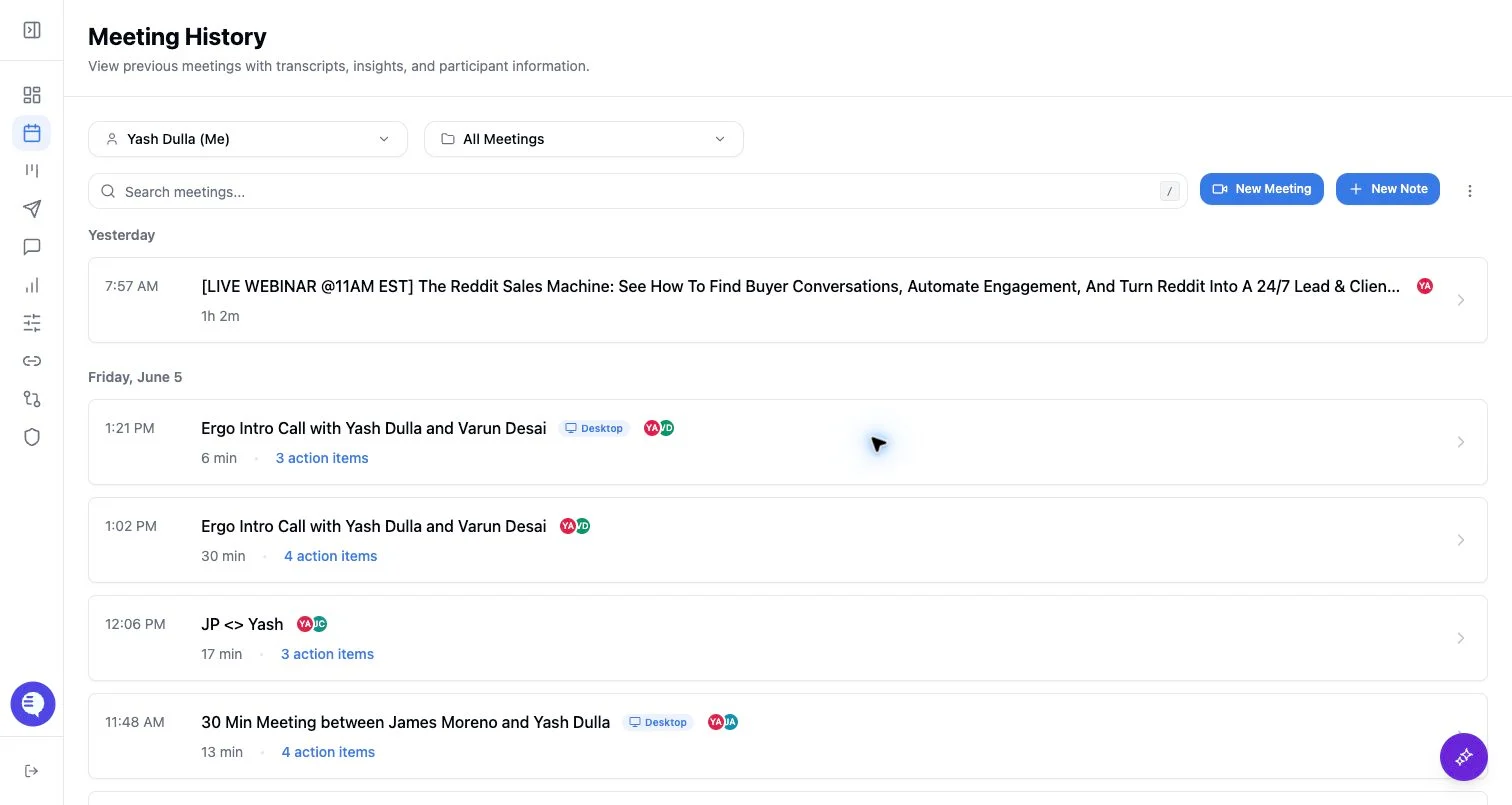
- Run one real external customer meeting test. After it processes, check Meetings for the summary, transcript, action items, and account match.
- If follow-up drafts are enabled, open Drafts and review the generated draft before sending it externally.
- If account context, reporting, or CRM fields look incomplete, ask the admin or RevOps owner to check Field Mapping, account properties, stages, and source permissions.
What to expect
- CSMs usually follow the standard user setup path. They should not reconnect CRM sources, redefine fields, or change organization defaults unless they also own admin setup.
- Drafts and account context depend on connected email/calendar, usable meeting capture, templates, CRM records, field mapping, source permissions, and processing state.
- Customer-success workflows such as renewals, expansion signals, handoffs, churn-risk review, and account-health reporting only become reliable after the underlying CS fields, stages, templates, and reporting sources are configured.
- Ergo outputs should be reviewed before customer-facing use, especially when they summarize customer commitments, risks, pricing, owners, links, or next steps.
Common issues
- Customer meetings are skipped, or internal meetings are captured, because calendar rules or notetaker behavior were not reviewed.
- The CSM cannot see a meeting, account, draft, or report because access is team-specific, role-specific, source-specific, or shared-link based.
- Summaries or drafts miss account context because CRM records, documents, prior meetings, or customer contacts are incomplete or not linked.
- Renewal, expansion, handoff, or account-health expectations are ahead of the configured CS pipeline, account fields, templates, or reports.
- Drafts are missing or low-quality because the meeting has not processed, the draft settings are disabled, the meeting is not eligible, another notetaker source created duplicate context, or the recipient/account context is stale.