Who can use this
- Admins and RevOps teams configuring HubSpot access.
- Operators validating CRM permissions, field mapping, and meeting activity behavior.
Before you start
- Use a HubSpot account with access to the objects and properties Ergo should read or update.
- Confirm your team has decided where meeting notes, recording links, and activity updates should appear.
- Review field mapping before enabling automation that writes CRM values.
Steps
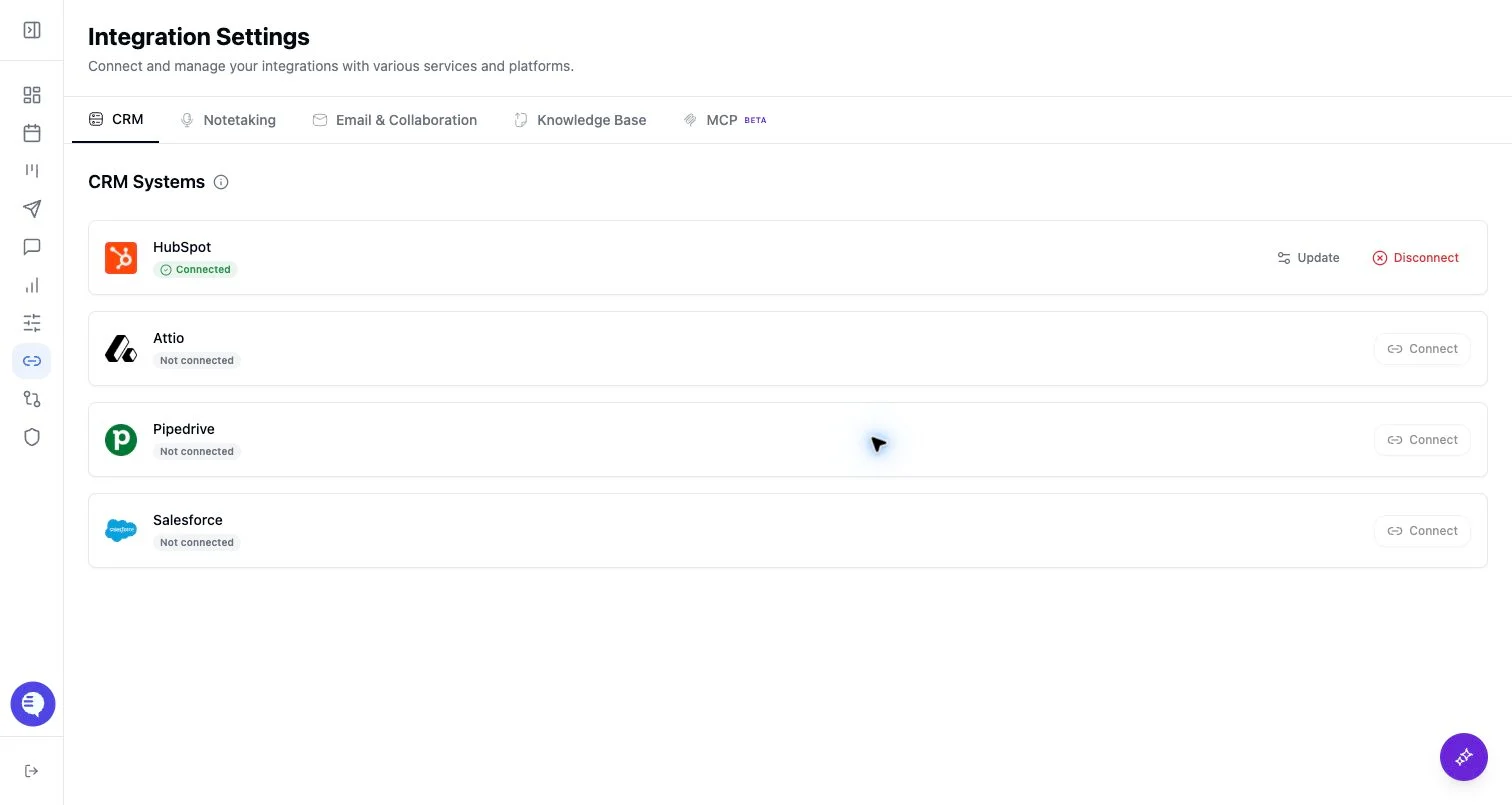
- Open Integrations and select HubSpot.
- Complete the HubSpot OAuth flow.
- Confirm HubSpot appears connected in Ergo.
- Review CRM properties, owners, pipeline stages, and meeting activity settings.
- Test with a small set of meetings or deals before relying on broad updates.
What to expect
- Ergo can use HubSpot CRM data for deal context, matching, field mapping, and configured CRM updates.
- Meeting activities and recording links have their own page because they depend on both the HubSpot connection and the configured activity/link workflow.
- HubSpot object permissions, property permissions, and pipeline setup can change what Ergo can read or write.
Common issues
- OAuth completed but the connected HubSpot user lacks access to a target object or property.
- A HubSpot property was renamed, removed, or changed after field mapping.
- Meeting links do not appear where expected because the meeting activity workflow is not configured or the meeting was not matched.