Who can use this
- Admins and RevOps teams deciding the CRM source of truth.
- Teams using Ergo deals without connecting an external CRM.
Before you start
- Confirm your team wants Ergo, not an external CRM, to be the primary place for deal records.
- Review who can create, edit, and view CRM records in Ergo.
- Do not use external-CRM reconnect guidance for Ergo CRM; it does not rely on a third-party OAuth grant.
Steps
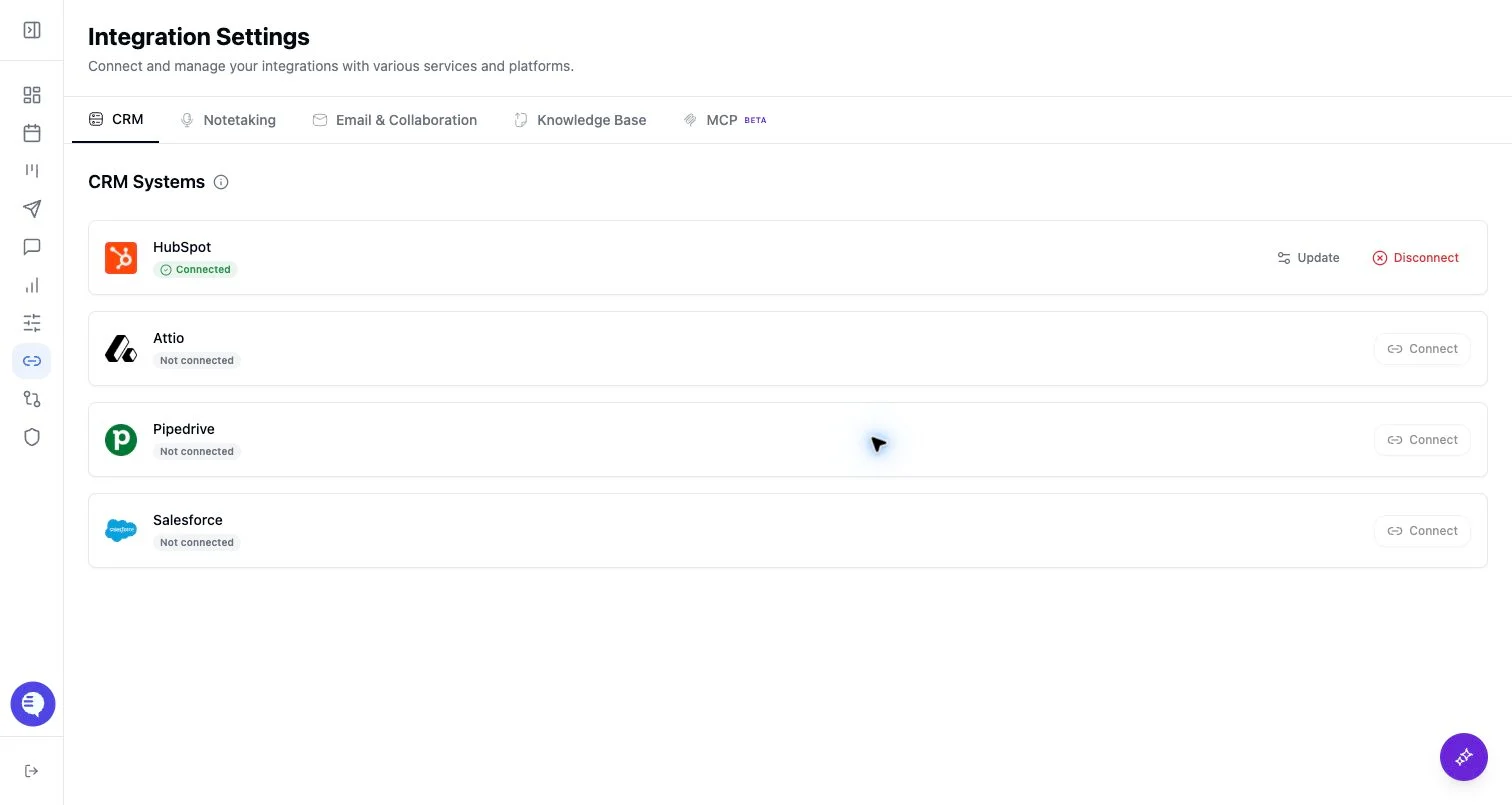
- Open Integrations and select Ergo CRM.
- Connect Ergo CRM.
- Open Deals and confirm the expected deals, companies, and contacts are available.
- Review CRM permissions and field mapping before relying on write workflows.
What to expect
- Ergo CRM is enabled from the Integrations card rather than through a third-party token or OAuth grant.
- External CRM write paths and provider-specific limitations do not automatically apply to Ergo CRM.
- If your team later connects an external CRM, confirm which CRM should be treated as the source of truth.
Common issues
- The team expected an external CRM sync, but Ergo CRM was selected instead.
- A user lacks permission to view or edit CRM records in Ergo.
- The team has not agreed which CRM source should own deals and companies.