Who can use this
- RevOps, sales operations, CRM owners, and admins with CRM permissions.
Before you start
- Use a CRM account that can read and update the fields Ergo needs.
- Map properties, pipelines, and stages before enabling broad CRM automation.
- Test changes on one record before rolling them out.
Steps
- Confirm the CRM connection is healthy.
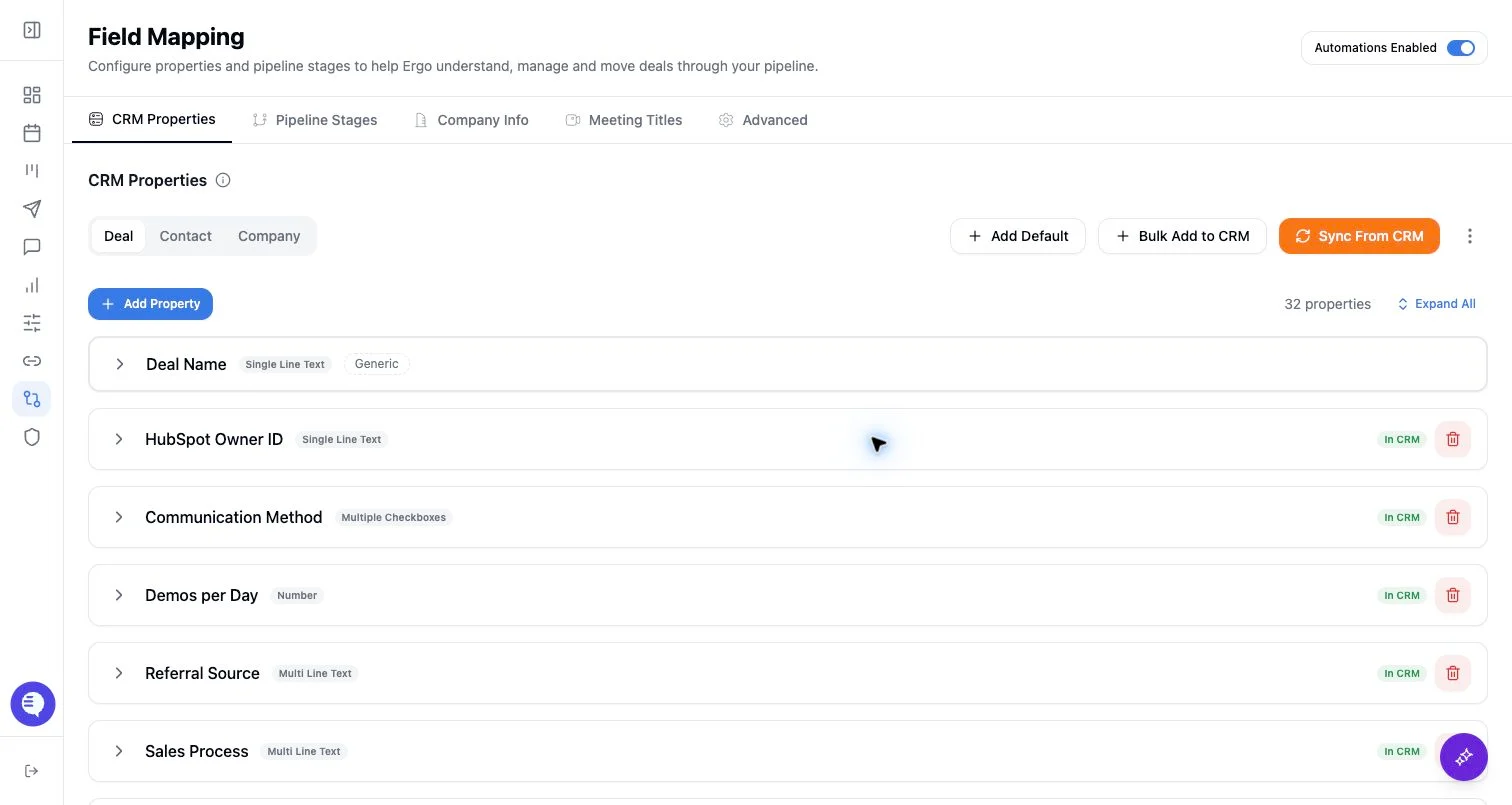
- Use CRM Properties to map deal, contact, and company fields.
- Use Pipeline Stages to sync stages, write stage descriptions, and edit stages where the connected CRM supports it.
- Use Company Info, Meeting Titles, and Advanced to tune matching and classification context.
- Test one record before enabling broad automation.
What to expect
- Field Mapping stores the configuration Ergo uses for CRM-backed views, write paths, matching, and AI context.
- CRM-side changes can create drift that needs review before automation continues.
- Some controls affect matching or classification rather than directly creating CRM objects.
Common issues
- A field or stage was renamed, removed, or restricted in the CRM after setup.
- A setting was changed in Ergo but not tested on a representative record.
- CRM permissions allow read access but block create or update actions.