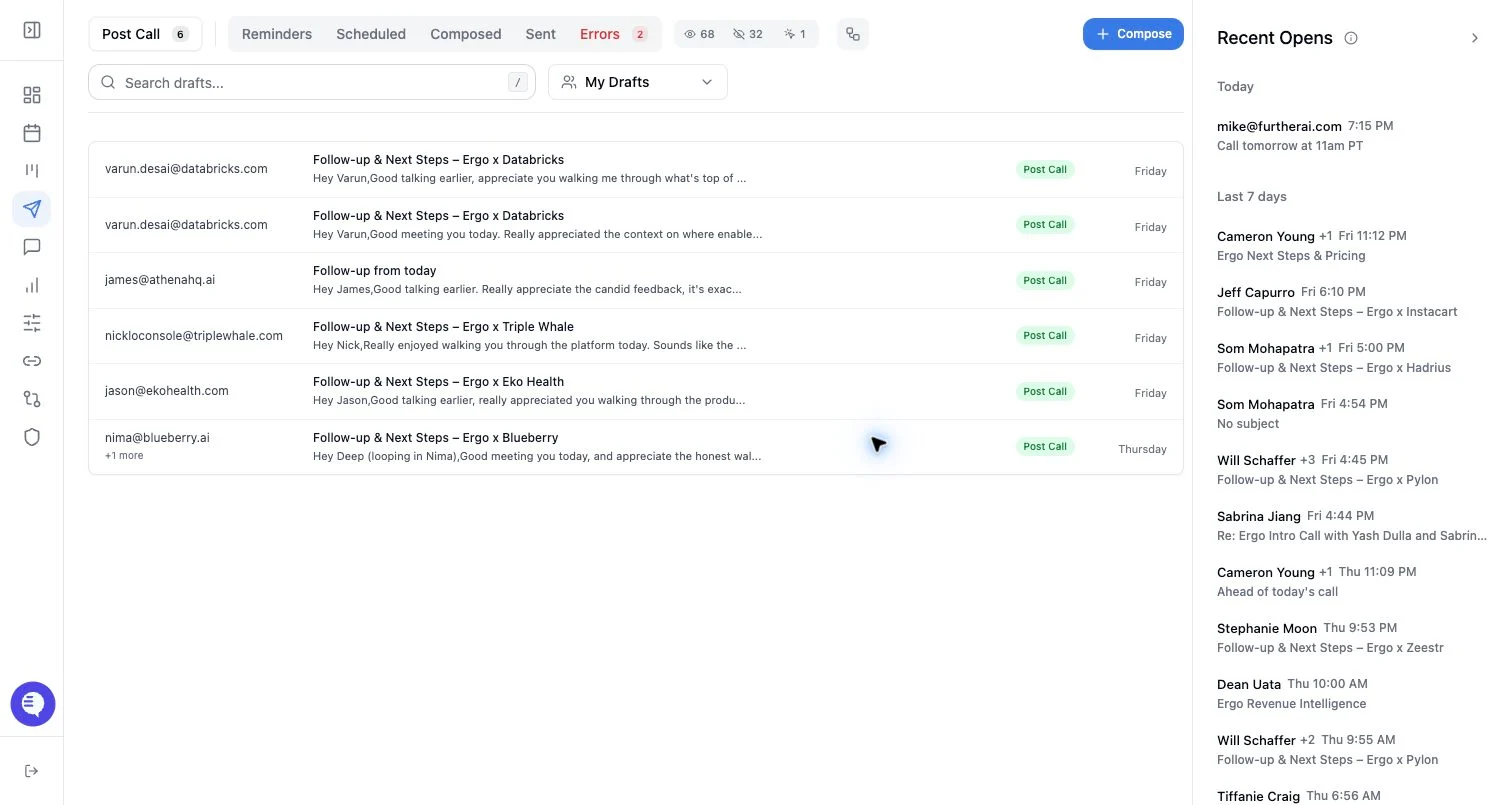
Who can use this
- Anyone reviewing drafts in Ergo.
- Managers or admins auditing draft volume across users when org-wide draft access is enabled.
Before you start
- Open Drafts from the dashboard.
- Confirm you are viewing the correct user if the user selector is visible.
- Remember that visible queues can vary by enabled feature flags and by whether the selected user has drafts in that state.
Queue meanings
- Post Call: follow-up drafts generated from qualifying meetings.
- Surfacing: proactive follow-up drafts based on deal activity and recent context, when enabled.
- Account Handoffs: handoff emails generated for configured handoff workflows, when enabled.
- Reminders: drafts you snoozed with a reminder date.
- Scheduled: drafts scheduled to send later.
- Composed: emails created manually or through Ergo Chat-style compose flows.
- Sent: emails already sent through Ergo.
- Errors: failed drafts or failed send attempts that need review, shown only when there are failures.
- Go Mode: a focused review set opened from a deal or bulk workflow.
How to work through queues
- Start with pending review queues such as Post Call or Surfacing.
- Use Reminders for drafts you intentionally deferred.
- Use Scheduled to confirm future sends or cancel a scheduled send.
- Use Sent for sent-state, tracking, and sent-flow review.
- Use Errors only to retry or report failures after checking the failure message.
What to expect
- Counts and visible queues depend on the drafts returned for the selected user.
- Scheduled and sent queues are not part of the same next/previous pending-draft navigation as review queues.
- Search filters the visible list but does not change whether a draft exists.
Common issues
- A queue is hidden because the feature is disabled or there are no drafts in that state.
- A manager sees fewer drafts than expected because the user selector is scoped to one user.
- A sent or scheduled draft is expected in a pending queue after it has already moved states.