Who can use this
- Users with email connected and permission to send from Ergo.
- Account owners composing from a deal, chat, or the Drafts page.
Before you start
- Connect the sender’s email account.
- Confirm the recipient belongs in the intended thread or new email.
- Have any useful context ready, such as the deal, meeting, existing thread, or template.
Steps
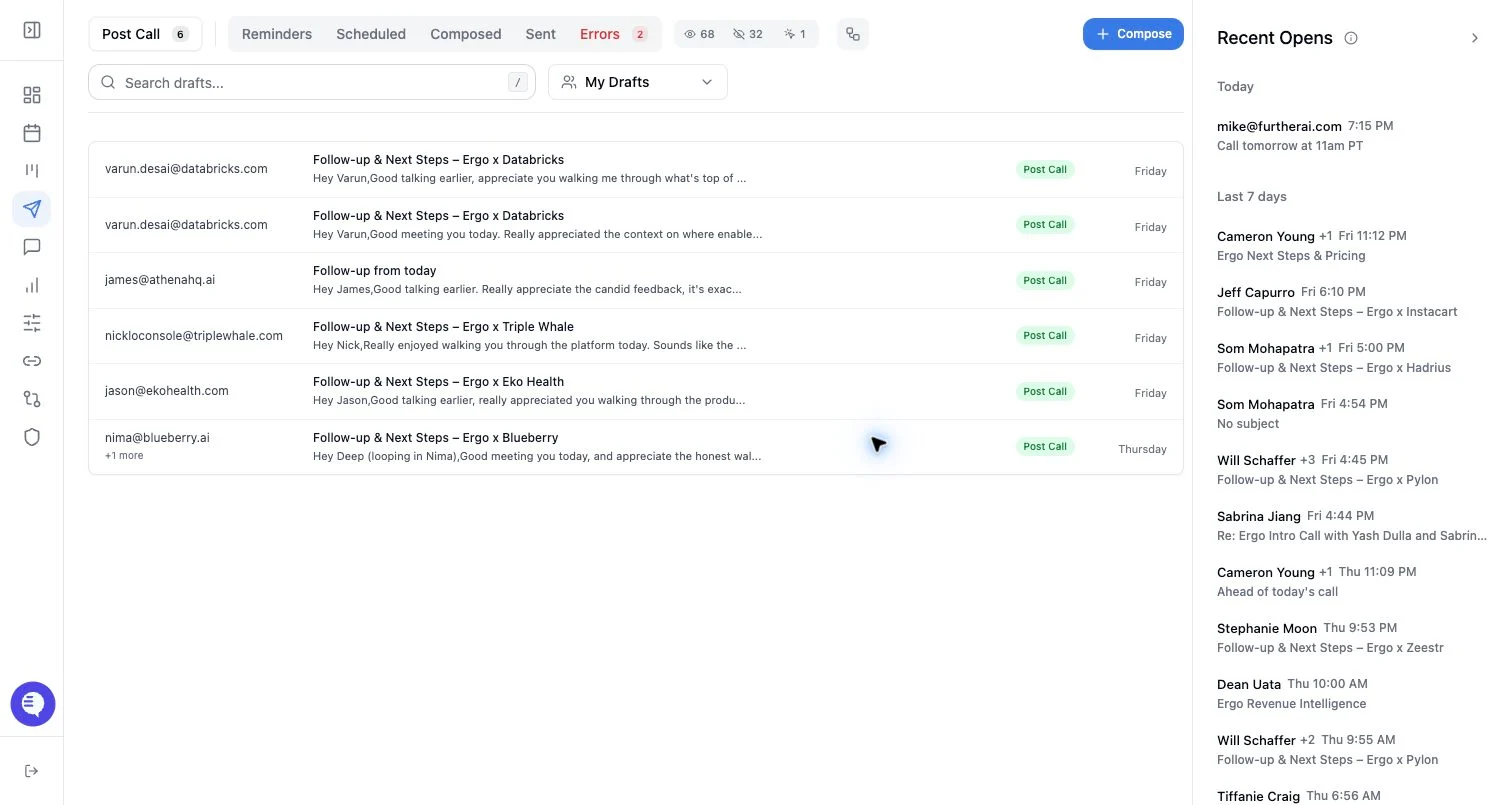
- Open Drafts and select Compose, or start from a supported deal/chat action.
- Add or confirm the sender, recipients, subject, and body.
- Choose whether the email starts a new thread or replies in an existing thread when thread controls are available.
- Use a template or AI assistance if helpful.
- Save the draft, then send immediately or schedule it.
What to expect
- Composed emails appear in the composed queue rather than post-call or surfacing queues.
- A composed draft still goes through send validation.
- AI-generated content is editable before send.
- If a thread is selected incorrectly, recipients may see a new email in the wrong conversation.
Common issues
- The sender account is disconnected or expired.
- Required recipient, subject, or body fields are missing.
- The selected thread does not match the recipient or subject.
- A template inserts outdated copy and needs editing.