Who can use this
- Sales reps, account owners, managers, RevOps, and admins working from pipeline and account context.
Before you start
- Connect CRM and complete field mapping before relying on CRM writeback.
- Check pipeline, view, filter, ownership, and record matching before assuming a record is missing.
- Confirm Deals access is enabled for your workspace; contact your admin or Ergo support if you do not see it.
Steps
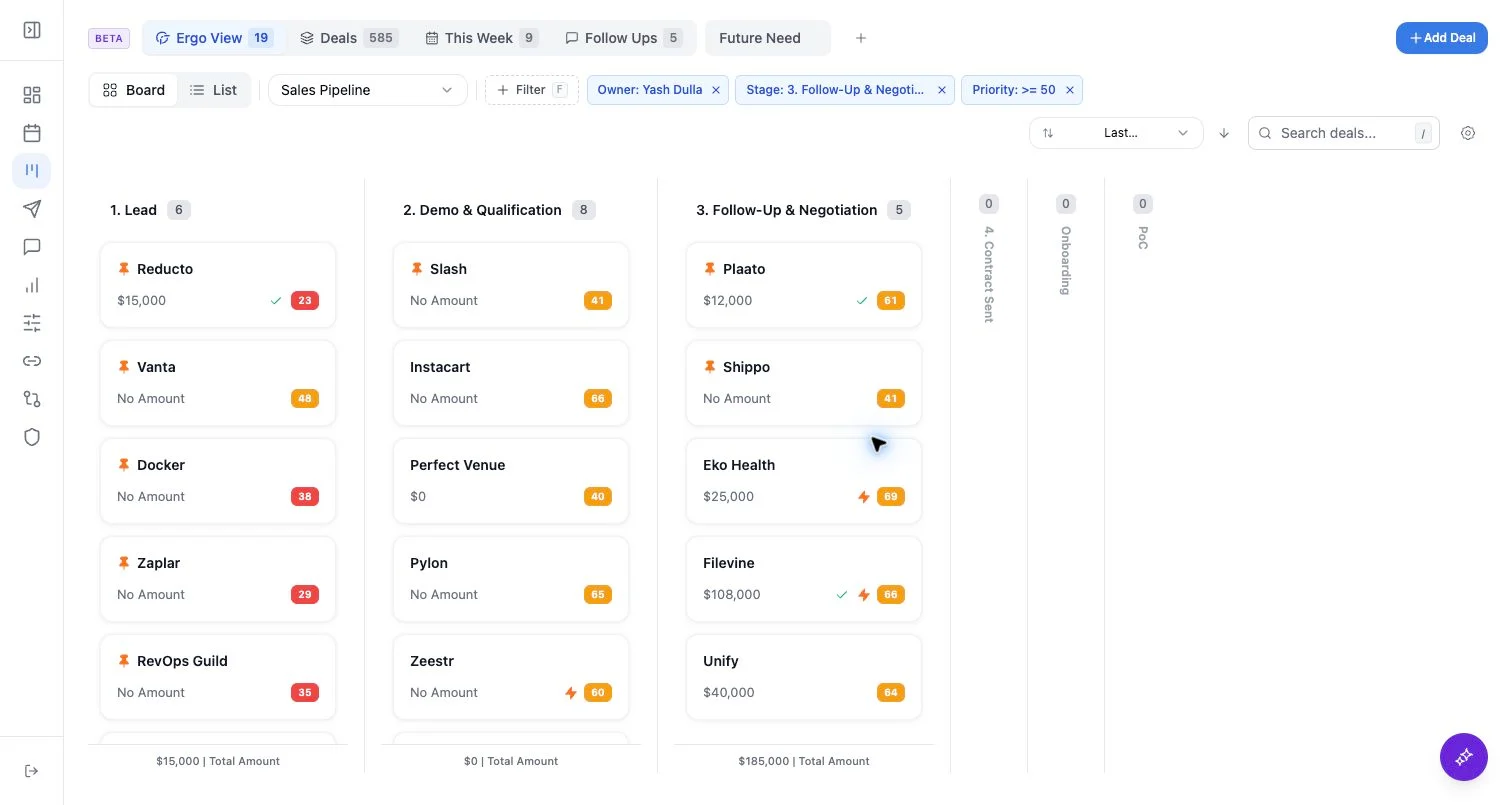
- Use kanban to review stage columns and move deals where your permissions allow.
- Use list view to sort by supported fields, compare owners, dates, health, amount, and mapped fields.
- Customize board card fields at the pipeline level.
- Customize list columns by view and pipeline.
What to expect
- Kanban stages are scoped to the selected pipeline and active filters.
- Hidden stages affect what you see, not whether records exist.
- List view can show standard fields and mapped custom fields, but unmapped CRM fields are not available as columns.
Common issues
- A stage is hidden or filtered out.
- A list column is hidden for the active view.
- A custom field has not been mapped or loaded yet.