Who can use this
- Sales reps, account owners, managers, RevOps, and admins working from pipeline and account context.
Before you start
- Connect CRM and complete field mapping before relying on CRM writeback.
- Confirm Deals access is enabled for your workspace; contact your admin or Ergo support if you do not see it.
- Choose the correct pipeline or the Companies selector option before searching.
- Clear filters and saved views before assuming a record is missing.
Steps
- Open Deals.
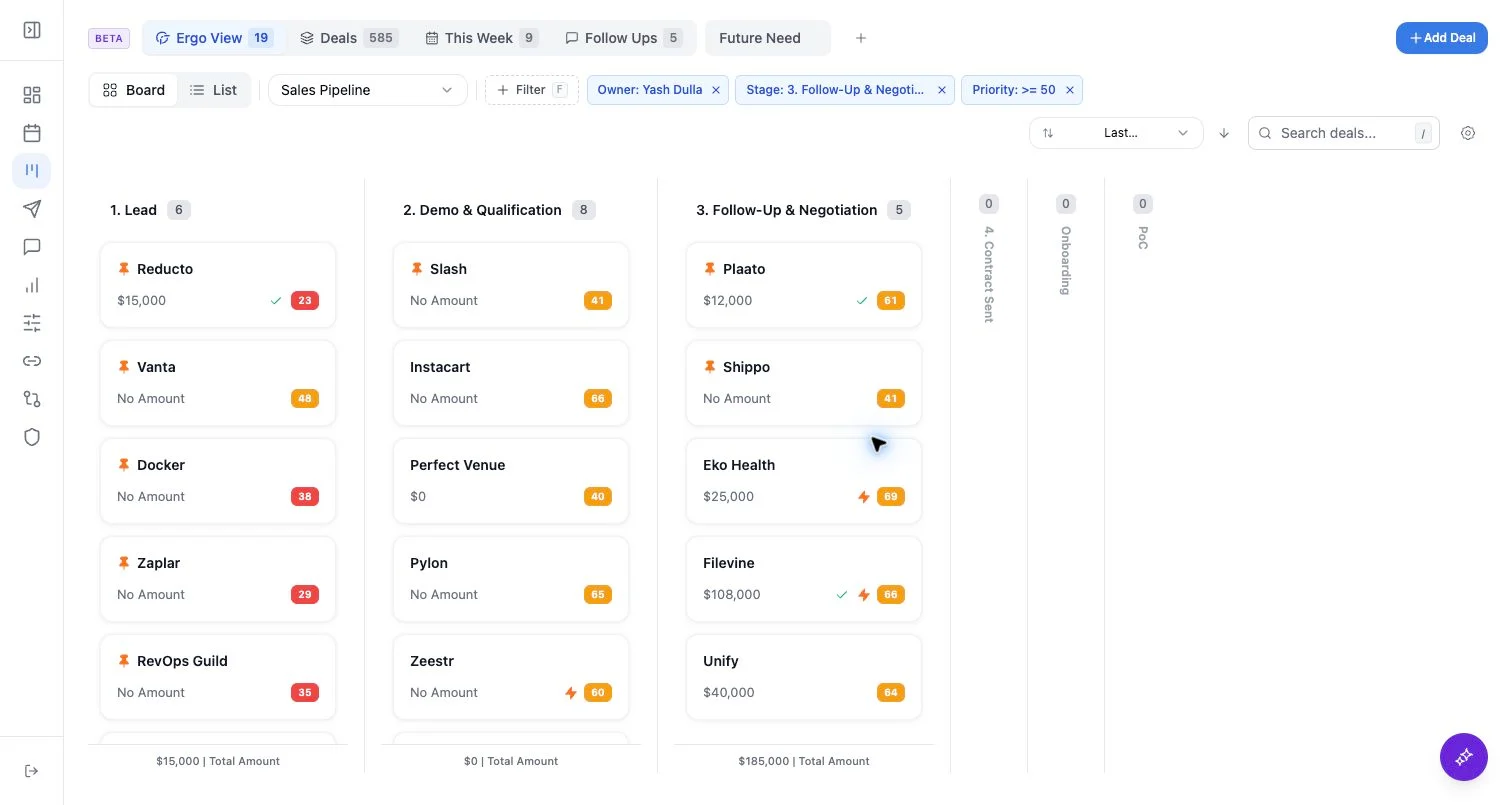
- Use the selector to choose a CRM pipeline or switch to Companies.
- Choose Kanban to scan stages or List to compare fields across records.
- Use built-in views such as Ergo View, Deals, This Week, Follow-Ups, and reminders when they are enabled for your workspace.
What to expect
- The board is scoped by pipeline, view, filters, search, and feature access.
- Card and list fields can include standard deal fields plus mapped custom fields.
- Some actions write through CRM-backed paths; only use them after confirming field mapping and permissions.
Common issues
- The wrong pipeline, Companies view, built-in tab, or saved custom view is selected.
- Search or filters are still active.
- CRM record names, domains, owners, or associations do not match the context you expected.
- Field mapping or CRM permissions are incomplete.