Who can use this
- Sales reps, account owners, managers, RevOps, and admins working from pipeline and account context.
Before you start
- Connect CRM and complete field mapping before relying on CRM writeback.
- Check pipeline, view, filter, ownership, and record matching before assuming a record is missing.
- Confirm Deals access is enabled for your workspace; contact your admin or Ergo support if you do not see it.
Steps
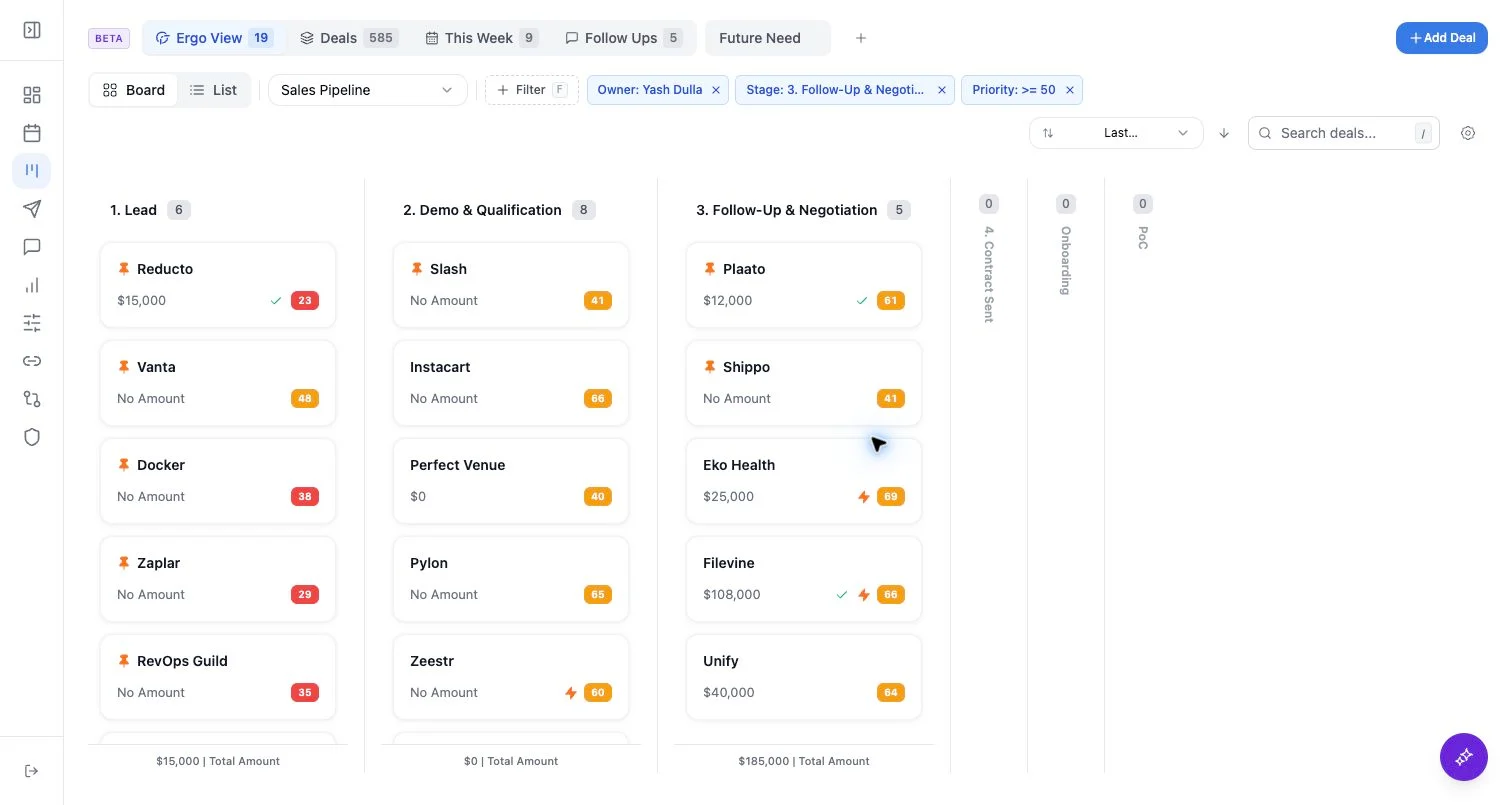
- Start with Ergo View or Deals for the default board cuts.
- Use This Week, Follow-Ups, or reminder-oriented views when those tabs are enabled.
- Create a custom view when the same filters, layout, hidden stages, or list columns should persist.
- Reset a built-in view when temporary filters or search are getting in the way.
What to expect
- Built-in views can be session-edited, then reset.
- Custom views persist saved filters and layout choices.
- Views can make a record disappear from the current screen even when it still exists in the selected pipeline.
Common issues
- A saved custom view has stale filters.
- A built-in view preference is using list view when you expected kanban, or the reverse.
- The active pipeline changed after the custom view was created.