Who can use this
- Sales reps, account owners, managers, RevOps, and admins working from pipeline and account context.
Before you start
- Connect CRM and complete field mapping before relying on CRM writeback.
- Check pipeline, view, filter, ownership, and record matching before assuming a record is missing.
- Confirm Deals access is enabled for your workspace; contact your admin or Ergo support if you do not see it.
Steps
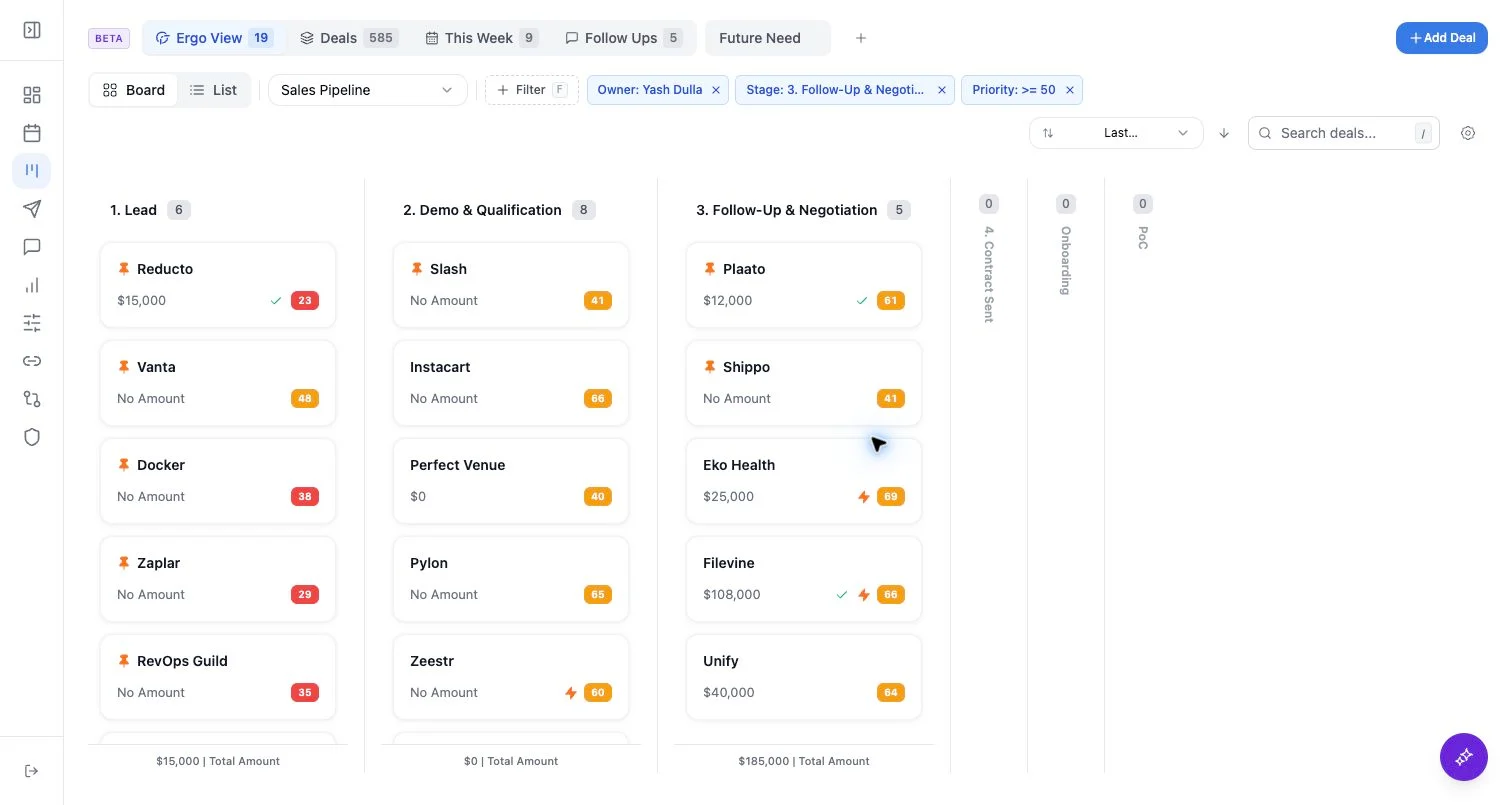
- Use Add Deal from the board, then confirm required fields against the connected CRM configuration.
- Confirm company, contacts, owner, stage, amount, close date, and any required mapped fields before saving.
- Edit inline fields only when the field is intended to write through the connected CRM path.
- After editing, verify the record in Ergo and, when needed, in the source CRM.
What to expect
- Save behavior depends on CRM connection, mapped properties, stage configuration, and property permissions.
- Edits made directly in the CRM may need ingestion or sync time before they appear in Ergo.
- Native CRM task and note sync is not documented as available from this workflow.
Common issues
- Required fields, stage, or owner are missing.
- Property permissions allow read but not create or update.
- The same account appears under multiple names or domains.