Who can use this
- Super admins can promote team members, demote secondary admins, and convert users between standard-user and spectator seats.
- Primary and secondary admins can review role assignments, but role changes are guarded by super-admin permissions.
Before you start
- Confirm the person is on the correct team. If not, use Add/remove/move members first.
- Decide whether you are changing admin authority or converting between a standard user and spectator.
- Review any separate meeting and reporting access grants that should change after the role update.
- Ask the member to expect a refresh or reconnect step after spectator conversion.
Promote a member to secondary admin
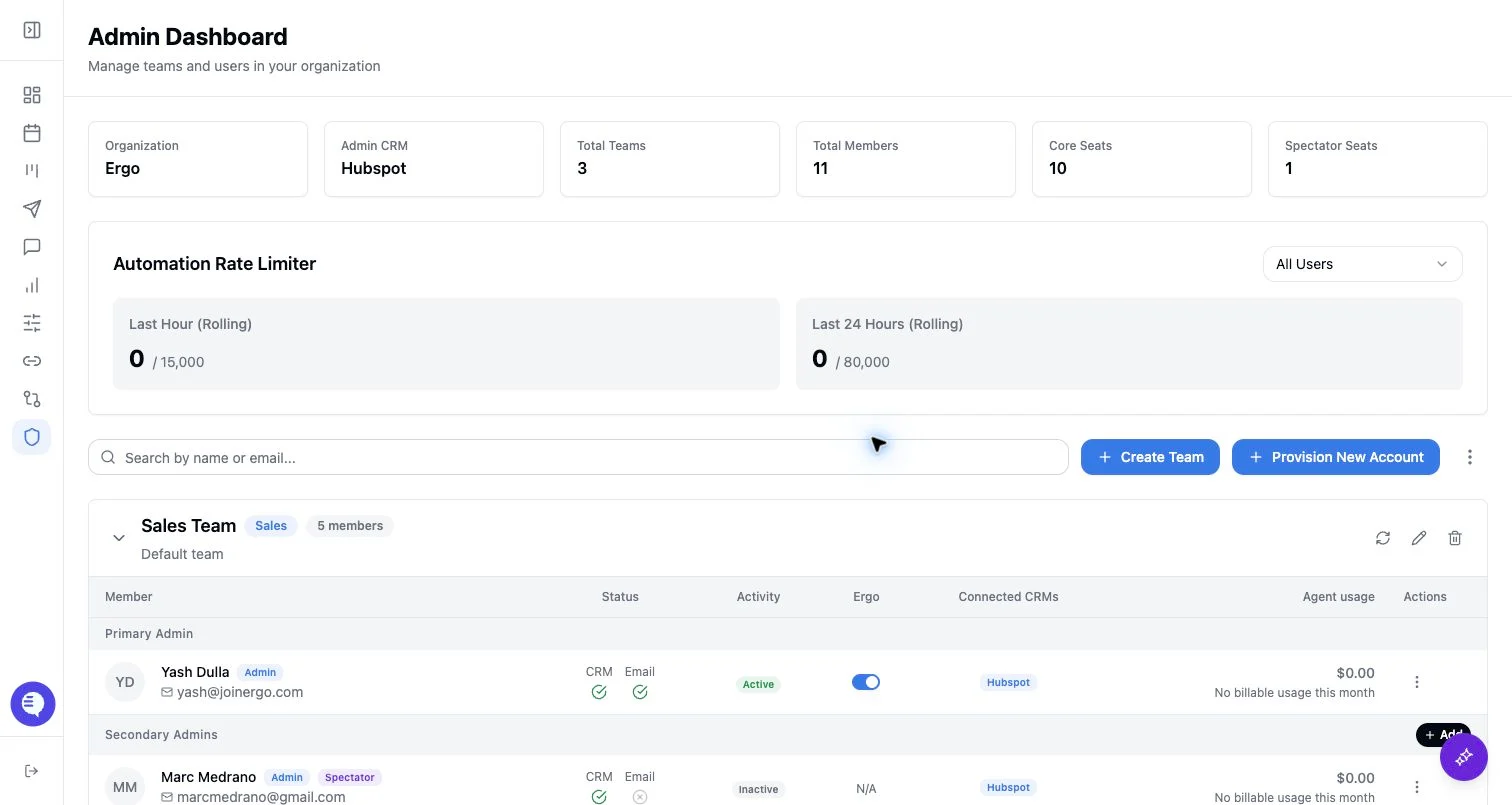
Use Promote to Admin for a regular team member who should become a secondary admin.- Open Admin and choose the team.
- Open the member’s action menu.
- Select Promote to Admin.
- Confirm the promotion.
Demote a secondary admin
Use Demote to User when a secondary admin should remain on the team but no longer have admin privileges.- Open the secondary admin’s action menu.
- Select Demote to User.
- Confirm the demotion.
Convert a standard user or spectator
Use Convert to Spectator or Convert to User when the person’s seat type should change. When converting a standard user to spectator, Ergo:- Marks the dashboard as a spectator seat.
- Disconnects supported third-party notetakers and Slack for that user.
- Turns off email monitoring, follow-up email, external email client, and surfacing settings.
- Disables Ergo for that user.
- Disconnects the user’s Recall calendar connection when one exists.
What to expect
- Role changes update the Admin member table after the data refreshes.
- Promotion and demotion change admin authority; they do not automatically change separate meeting/reporting grants.
- Spectator conversion intentionally disconnects or disables automation-related settings so the seat becomes view-oriented.
- Converting back to standard user does not automatically restore every disconnected integration or toggle.
Common issues
- The action is missing. Promote appears for members, demote appears for secondary admins, and convert appears only when the current user is allowed to perform the conversion.
- The primary admin needs to change. Use the team primary-admin reassignment flow instead of convert, promote, or demote.
- The person still cannot see meetings or reports. Check meeting access and reporting access separately.
- Integrations are disconnected after spectator conversion. This is expected. Reconnect and re-enable the relevant settings after converting back to standard user.