Who can use this
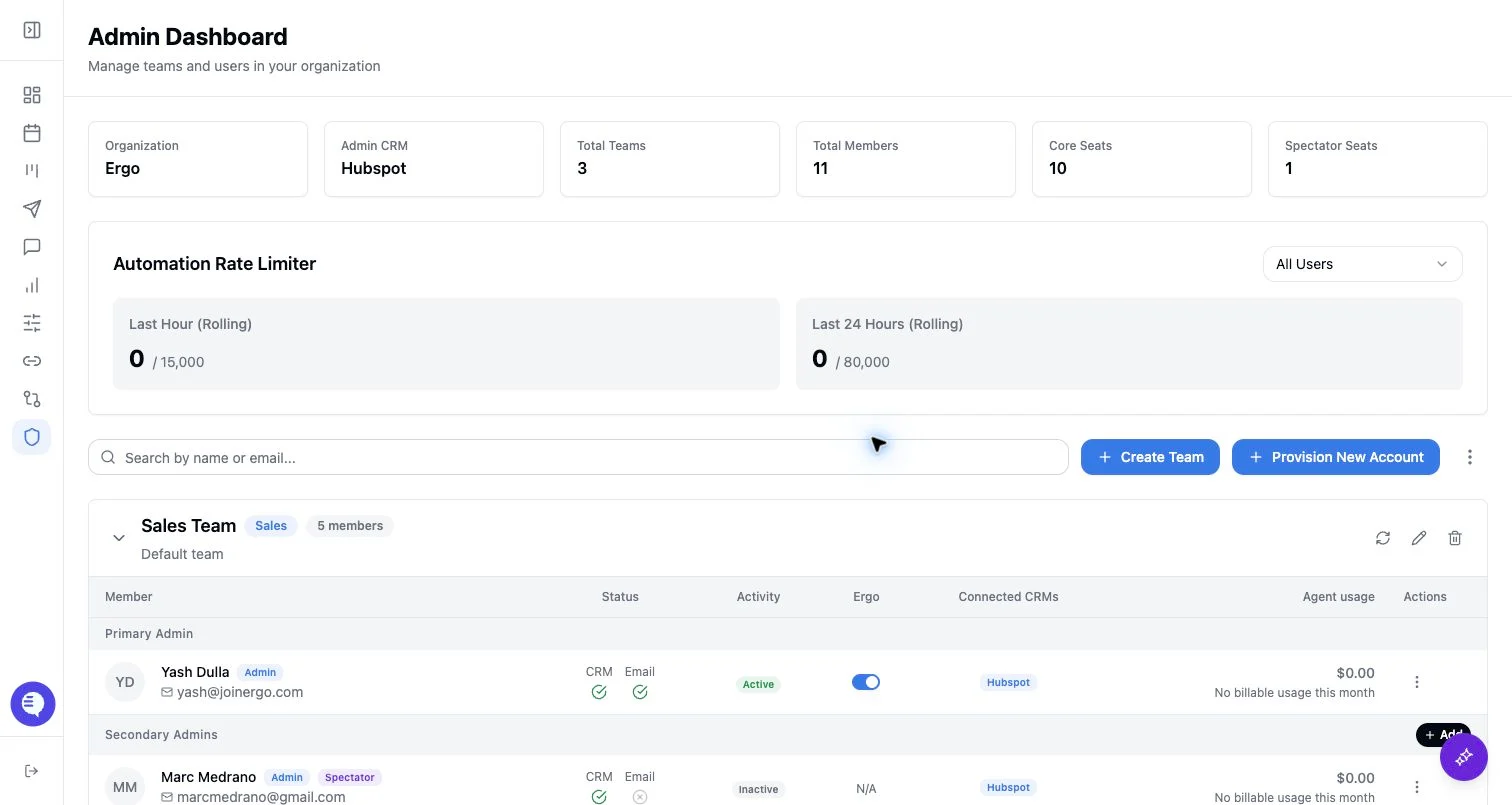
- Super admins can open Grant Meeting Access and Grant Reporting Access from the Admin member table.
- Reporting admins can manage reporting access grants from the reporting access manager.
- Primary-admin meeting grant scope may be limited to the teams they administer.
Before you start
- Decide whether the user needs meeting visibility, reporting visibility, or both.
- Confirm the user is already in the organization.
- Check whether a team move, role change, or spectator conversion would be the cleaner change.
- For broad organization-wide meeting visibility, use Global meeting access instead of individual grants.
Grant meeting access
Meeting access grants let one user view meetings for selected people. They are stored separately from team membership and role.- Open Admin and choose the team.
- Open the member’s action menu.
- Select Grant Meeting Access.
- Search for members whose meetings the selected user should be able to view.
- Select or deselect the members in the list.
- Save changes.
Grant reporting access
Reporting access controls whether a non-admin user can see reporting and what they can do there.- Open the member’s action menu.
- Select Grant Reporting Access.
- Choose All dashboards or Specific dashboards.
- If needed, enable Can create dashboards, fields, and rubrics.
- Save the grant.
Edit or revoke reporting access
Open the existing reporting grant to update the dashboard scope, toggle create permissions, or revoke the grant. Removing the grant removes the explicit reporting access for that user; it does not remove admin-derived access.What to expect
- Meeting access affects meeting lists and meeting-detail access. It does not grant reporting access.
- Reporting access affects the Reporting navigation and reporting dashboard permissions. It does not grant meeting visibility by itself.
- Users may need to refresh after a grant is saved.
- Grants are organization-specific; verify the user is in the same organization before troubleshooting.
Common issues
- The grant action is missing. Confirm the acting user has the right admin permission and that the target user is in the organization.
- The user can see meetings but not reports. Add or edit reporting access separately.
- The user can see reports but not a meeting. Add meeting access, check team membership, or review global meeting access.
- A non-admin user cannot create dashboards. Enable create permissions in the reporting access grant.
- A grant already exists. Edit the existing grant instead of creating a duplicate.